
How to Design a Study Plan That Survives a Bad Week
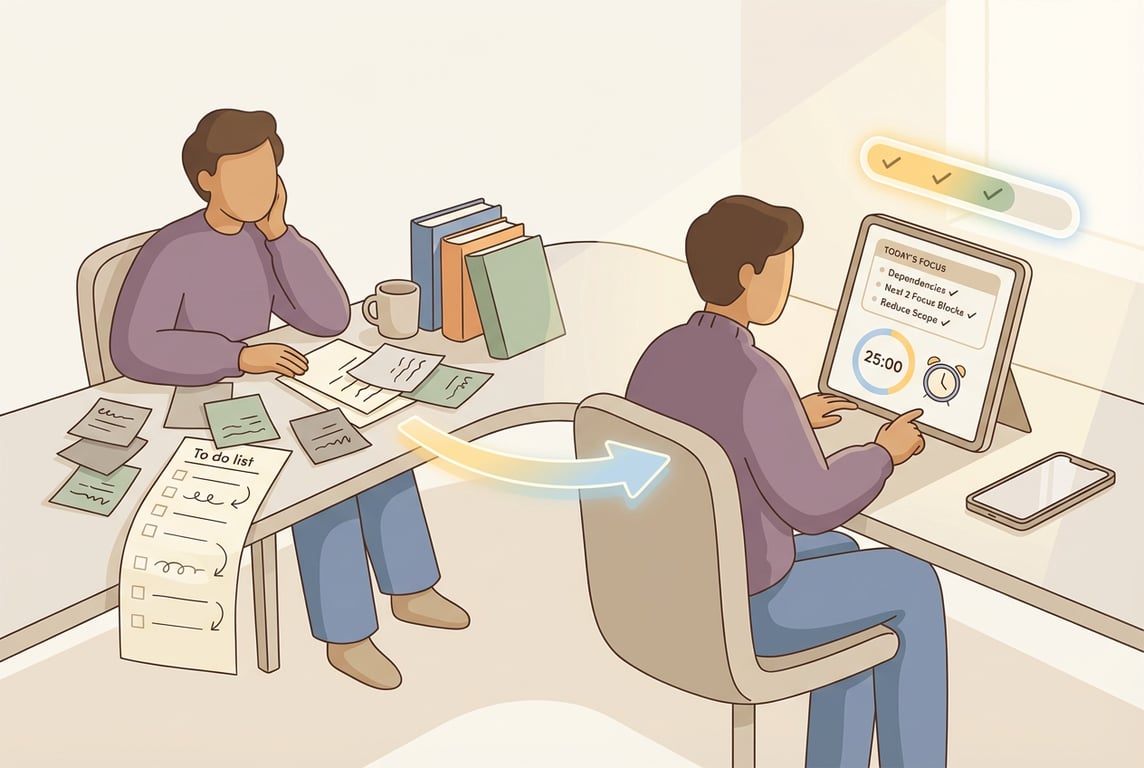 If your to-do list looks like a horror movie right now—missed sessions, zero energy, deadlines creeping closer—you don’t need more motivation.
You need a study plan that’s built for real life.
Because here’s the truth: a “perfect” plan that collapses the moment you get sick, have a shift at work, or spiral for two days is not a plan. It’s a fantasy.
Think of your study plan like a GPS, not a prison.
You don’t “fail” the GPS because you missed a turn. You re-route.
This post is your re-route system.
The real goal: resilience, not consistency
Most students try to win by being consistent 100% of the time.
That works until:
You get a migraine.
Your part-time job adds shifts.
You underestimate how long maths homework takes.
You procrastinate and suddenly it’s Thursday.
A resilient study plan assumes bad weeks happen and bakes in a way to recover fast.
And the recovery doesn’t require a 3-hour “redo my whole plan” session.
It’s a simple protocol you can run in 15–25 minutes.
The 3-step recovery protocol (after you miss sessions)
When you fall behind, your brain wants to do one of two things:
Panic-plan everything again, unrealistically.
Avoid looking at it at all.
We’re doing option 3: triage + restart momentum.
Step 1) Re-check dependencies (the “what must come first?” check)
When people fall behind, they often try to jump to the “important” stuff… without realizing it depends on earlier work.
Example:
You try to do past papers → but you haven’t reviewed the topic list.
You try to write the essay → but you haven’t collected quotes.
You try to revise organic chemistry → but the basics of mechanisms are shaky.
So ask:
What’s blocked right now? What’s the next unblocked move?
Here’s what this looks like in practice:
If “Biology past paper” feels impossible, dependency might be “review cell division notes + do 10 practice questions.”
If “History essay” is stuck, dependency might be “choose question + make a 6-bullet outline.”
Rule: When behind, you don’t start with the biggest task. You start with the task that unlocks the biggest tasks.
AriaPlanner example (Plan tab):
In the Plan tab, you’d quickly scan your subject plan and mark dependencies like:
“Photosynthesis questions” depends on “Photosynthesis recap”
“Mock paper 2” depends on “Finish topic X weak areas”
You’re not adding complexity—you’re removing it. You’re turning “everything” into “next.”
Sample script you could type to Aria:
“I missed three study sessions this week. Help me identify what tasks are now blocked and what the next unblocked steps are for Maths and Biology.”
Step 2) Reschedule the next two focus blocks (not the whole week)
This is the part people hate: the calendar reality check.
But we’re not rebuilding your entire schedule. We’re doing the smallest restart that creates momentum:
Schedule only the next two focus blocks.
Not ten. Not the whole weekend. Just two.
Why two?
One block gets you back into motion.
The second block proves it wasn’t a fluke.
Here’s what this looks like in practice:
Block 1 (25–50 min): the “unlock” task (from Step 1)
Block 2 (25–50 min): a small win that shows progress (like practice questions)
And yes: put them in real time slots. Not “sometime later.”
AriaPlanner example (Schedule tab):
Find two realistic slots around your life (classes, work, sports).
If you use Apple Calendar, this is where syncing makes it easier to see what’s actually free.
Schedule those two blocks before you worry about anything else.
Sample script you could type to Aria:
“I can study Tuesday 6:30–7:15pm and Wednesday 4:00–4:45pm. Schedule two focus blocks that help me catch up in Biology.”
Step 3) Reduce scope (the “save the week” cut)
This is where you stop the spiral.
When you’re behind, trying to “catch up by doing everything” is what keeps you behind. Your plan must shrink to fit reality.
So you choose the smallest version of success that still moves your grade.
Use this quick scope filter:
Keep:
Tasks that are exam-high-impact (past paper Qs, marking, weak topics)
Tasks that unlock other tasks (dependencies)
Tasks that prevent future pain (tomorrow’s deadline)
Cut or pause (for now):
Low-yield perfection upgrades (rewriting notes neatly)
Extra resources you don’t truly need
Optional deep dives that don’t affect the next assessment
Here’s what this looks like in practice:
Instead of “Revise 4 topics + full past paper,” you do:
1 weak topic recap (25 min)
15 targeted questions (25 min)
Mark + error log (15 min)
That’s a comeback plan.
AriaPlanner example (Focus screen + adaptive timer):
Run a focus block with the adaptive timer (coffee-cup style).
If you finish early, you don’t waste the win—you either:
pull a small task forward, or
end early and reschedule the remaining work cleanly.
No guilt. Just rerouting.
Sample script you could type to Aria:
“I’m behind. Reduce this week’s plan to the minimum effective workload to still improve my test score.”
The loop that makes your plan “bad-week proof”
A resilient system runs on a loop:
Planning: break goals into tasks with dependencies
Scheduling: map tasks onto real calendar time
Focusing: do the next session with structure (not vibes)
Learning: reflect, notice patterns, adjust
Bad weeks don’t break that loop. They just trigger a shorter version of it.
AriaPlanner is one way to make this easier because it mirrors this exact cycle:
Plan tab: organize tasks + dependencies + start dates across subjects
Schedule tab: place tasks into real time (optionally with Apple Calendar)
Focus screen: run the session, finish early, reschedule intelligently
Insights tab: see patterns and write coaching notes like, “I always overplan on Mondays”
A “Bad Week Reset” you can copy-paste (15 minutes)
Set a timer for 15 minutes and do this:
List what you missed (don’t judge it—just list it).
Circle 1–2 blocked areas (the ones causing the most stress).
Pick 1 dependency task per blocked area (the unlock step).
Schedule two focus blocks in the next 48 hours.
Cut scope: choose one thing you are not doing this week.
That’s it. That’s the reset.
If you want to do it inside AriaPlanner, you’d:
update dependencies in Plan
place two blocks in Schedule
run the next session in Focus
add one note in Insights like: “I got sick → plan needed buffer time”
The mindset shift (that actually helps)
You’re not behind because you’re lazy or broken.
You’re behind because your plan didn’t have a reroute feature.
Now it does.
Run the protocol:
dependencies
next two sessions
reduce scope
And get back on the road.