
Locked Tasks Are a Feature: How Constraints Create Calm
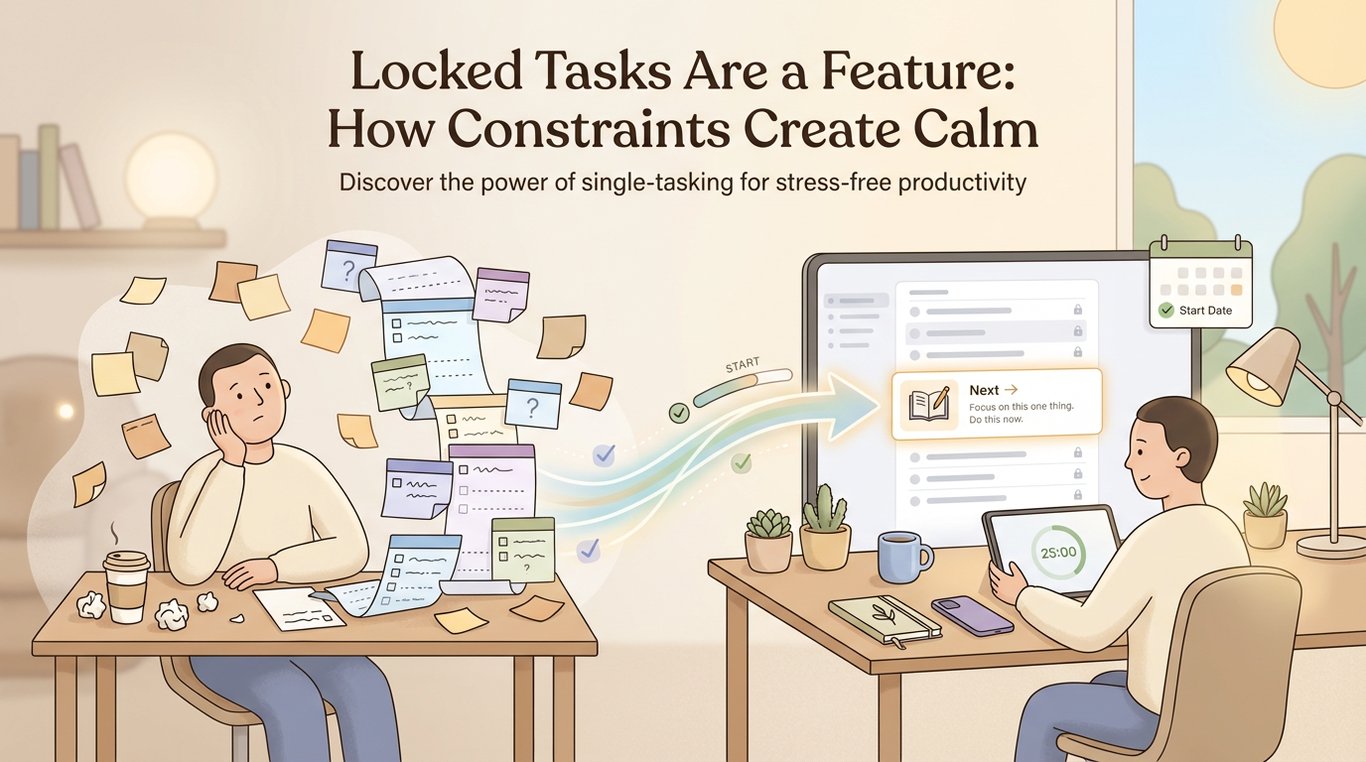 If your to-do list looks like a horror movie right now—300 tasks, all screaming DO ME NOW—this is for you.
Because here’s the truth nobody tells stressed students:
“Locked” tasks (start dates, dependencies, prerequisites) aren’t a limitation. They’re relief.
They’re your system gently saying: “Not yet. Not today. Breathe.”
And honestly? That’s the kind of adult energy your workload needs.
The problem: When everything is “available,” you do the wrong things first
When students feel anxious, they don’t naturally do the most useful task.
They do the task that feels:
easiest to start
most “productive-looking”
most comforting
most urgent in their head (even if it’s not actually urgent)
That’s how you end up doing:
4 hours making pretty notes… before you even know what the exam is testing
a full mock paper… before you’ve learned half the content
past paper #1, #2, #3… while still getting the same topics wrong
It feels like progress.
But it’s often premature work—work that would be 10x more effective if you did it later.
Reframe: “I can’t do this yet” = “I’m protected from wasting time”
Most people hear:
“You can’t start this task yet.”
…and translate it as:
“I’m behind.”
Nope.
A good system translates it as:
“You’re not allowed to spend energy there until it will actually pay off.”
Think of locked tasks like the velvet rope at a club.
Not because you’re not worthy.
Because going in right now would mess up the flow.
Why constraints create calm (even if you hate them at first)
1) Locked tasks reduce decision fatigue
If you’ve got 18 possible study tasks, your brain has to choose.
And choosing drains willpower.
If your system only shows you the 3 tasks that can be done today, you get something priceless:
clarity.
2) Dependencies stop “fake productivity”
A dependency is just: Task B makes no sense until Task A happens.
Example:
A: Learn the structure of a 12-mark biology answer
B: Do 12-mark past questions
C: Mark and correct using the mark scheme
If you skip A and jump to B, you’ll “practice”… but you’re basically rehearsing mistakes.
Dependencies prevent that.
3) Start dates stop you from burning premium resources too early
Past papers are not infinite.
They’re like your “final boss battles.” You don’t fight the final boss at Level 2 with a wooden sword.
A start date lets you say:
“Mocks start 3 weeks before the exam.”
“Past paper mode begins after I’ve completed Topic 1–6.”
“Essay drills start once I’ve built 10 usable quotes.”
That’s not restriction. That’s strategy.
A real example: The “mock papers too early” trap
Here’s what this looks like in practice.
Scenario:
You’ve got an exam in 5 weeks. You’re stressed. You open a past paper because it feels serious.
You get a bunch wrong. You feel worse.
So you either:
avoid studying (“I’m doomed”), or
do more past papers to feel in control (but keep repeating the same gaps)
A calmer system:
You lock past papers behind two gates:
Start date: Week 3
Dependency: “Finish core content + do targeted topic quizzes”
So your plan literally won’t let you sprint into panic-mode.
Instead, it funnels you into what actually helps today.
Think of your study plan as a GPS, not a prison
A GPS doesn’t say:
“You’re a bad driver.”
It says:
“Turn left here. Not there.”
Locked tasks are your GPS preventing you from taking the scenic route through stress, guilt, and wasted effort.
The planning → scheduling → focusing → learning loop (the calm comes from the loop)
This is the workflow I teach students because it reduces chaos without needing superhuman motivation.
1) Planning: break big goals into tasks with dependencies
Don’t write: “Revise Chemistry.”
Write tasks that a tired human can do:
“Watch electrolysis video (20 min)”
“Make 12 flashcards for electrolysis”
“Do 15 electrolysis questions”
“Error log: electrolysis misconceptions”
Then add the logic:
Questions depend on learning
Error log depends on questions
Past paper depends on finishing the topic set
This is where locked tasks are born.
Here’s what this looks like in practice: your plan becomes a path, not a pile.
2) Scheduling: put tasks into real calendar slots
A plan that isn’t scheduled is just a wish.
You look at your actual life:
school
training
part-time job
commute
your energy dips (yes, those matter)
Then you place tasks into what’s real.
If you use something like AriaPlanner, the Schedule tab is one way to do this—finding slots that fit around your week, and (if you want) syncing to Apple Calendar so you’re not juggling five places to check.
3) Focusing: do the next unlocked task in a distraction-proof session
Focus is easier when the task is:
small
specific
already chosen
That’s why locked tasks help so much: they remove the “what should I do” debate.
On a tool like AriaPlanner’s Focus screen, an adaptive timer (their “coffee cup” style) can nudge you to stay in it—then if you finish early, you don’t spiral. You just bank the win and reschedule what’s next.
4) Learning: reflect weekly and adjust
This is the part students skip, then wonder why they keep feeling stuck.
Every week, review:
What did I actually complete?
What took longer than planned?
What topics caused friction?
What should be locked until prerequisites are done?
In AriaPlanner, the Insights tab is one way to make this easier—patterns, reflections, and coaching notes that turn “I’m failing” into “I need a different sequence.”
Practical templates you can steal today
Template 1: The “Unlock Rules” checklist
Before you unlock a past paper or mock, ask:
Have I learned the core content for this unit?
Have I done at least 30–50 targeted questions on it?
Do I have an error log of recurring mistakes?
Do I know the exam format/mark scheme expectations?
If not, the task stays locked. And that’s good news.
Template 2: What to type into Aria (or your planning doc)
If you want a starting script, try:
Tell Aria: “I have a [subject] exam in [X weeks]. I can study [days/times]. Build me a plan with dependencies so past papers only unlock after I finish the topics and do targeted questions. Also schedule it around my school and job.”
Or more specific:
Tell Aria: “Create tasks for Topic 1–6. Each topic should be: learn → recall → practice questions → error log. Lock full past papers until Week 3.”
Template 3: The “Today List” rule
Your daily list should have:
1 deep task (the main win)
1 support task (flashcards, review, corrections)
1 admin task (printing, organising, emailing teacher)
Everything else? Locked or parked.
This is how you stay calm and still move fast.
The mindset shift that changes everything
When you see a locked task, I want you to think:
“Nice. My system is protecting my focus.”
Because you don’t need more things to do.
You need fewer decisions, better timing, and a clear path.
Constraints create calm.
Locked tasks are a feature.
And your future self will thank you for not doing “Level 10 work” with “Level 2 preparation.”