
The 2-Minute Setup: How to Turn “I Should Study” Into a Real Plan (Fast)
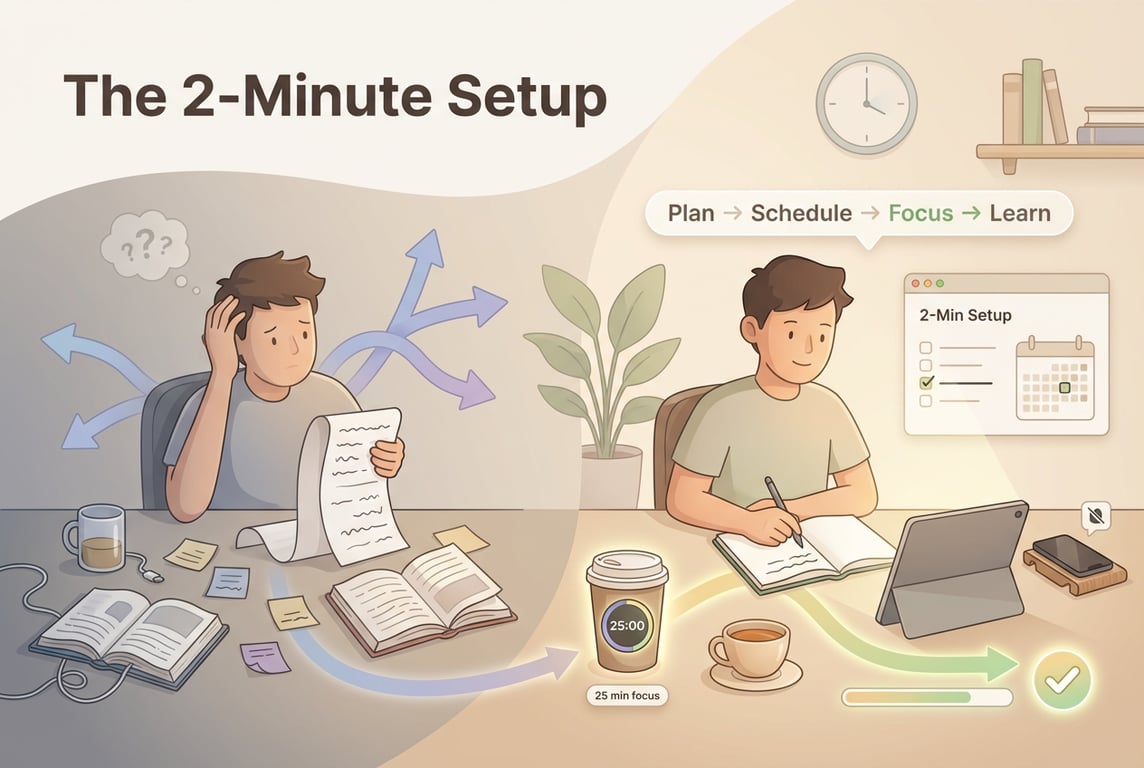 If your to-do list looks like a horror movie right now—random chapters, half-written notes, deadlines creeping closer—this is for you.
Because “I should study” is not a plan.
It’s a vibe.
And vibes don’t pass exams.
What you need is a tiny, reliable setup that gets you from chaos → first focused study session in minutes, not hours.
Think of your study plan like a GPS, not a prison. You don’t need the entire journey mapped perfectly—you just need your next turn to be clear.
Let’s build that. Fast.
The 2-Minute Setup (for overwhelmed students)
You’re going to do three things:
Capture one goal
Generate a curated plan
Make one high-impact customization (dependency or start date)
That’s it. No color-coding. No 3-hour “new semester notion setup.”
We’re reducing friction and getting you to your first Focus session ASAP.
Step 1 (30 seconds): Capture one goal (make it specific)
Pick one exam or deliverable. Not your entire life.
Good goals look like:
“Biology mock exam in 10 days — chapters 4–6 + past paper”
“Calculus midterm next Friday — integration techniques”
“History essay due in 6 days — 1200 words, 6 sources”
If you’re using an AI planner like AriaPlanner, this is the moment you type the messy reality.
Tell Aria (copy/paste script)
“I have a Chemistry test in 12 days. Topics: acids/bases, titrations, pH calculations. I also have football Tue/Thu and work Sat. I’m behind and I procrastinate at night. Make me a realistic plan.”
Notice what you did there?
You didn’t pretend you’re a robot with 8 free hours daily. You told the truth. That’s strategy.
Step 2 (60 seconds): Generate a curated plan (not a giant list)
A good plan isn’t “Study chemistry” repeated 12 times.
A good plan is tasks that lead somewhere, usually in this order:
Learn (understand the content)
Practice (apply it)
Test (past questions under time)
Review (fix weak points)
In AriaPlanner, this maps naturally to the Plan tab:
You create a plan for “Chemistry Test”
Add subjects/topics
Get tasks that aren’t random—they’re sequenced
Here’s what this looks like in practice
Instead of:
“Revise acids”
“Revise titrations”
“Revise pH”
You get something like:
Acids/Bases fundamentals (notes + examples)
pH calculations practice set
Titrations method + worked problems
Mixed questions quiz
Past paper section (timed)
Error log + targeted revision
That’s curated. That’s usable.
Step 3 (30 seconds): Make one high-impact customization
Choose dependency OR start date (not both)
Most students over-customize and never start. Don’t do that.
You only need one edit that prevents the plan from collapsing later.
Option A: Add one dependency (best for “I don’t know what to do first”)
Dependencies are your “do this before that” rules.
Example:
“Past paper (timed)” depends on “Mixed questions quiz”
“Titrations problems” depends on “Titrations method”
In AriaPlanner’s Plan tab, you’d set that dependency so the system stops suggesting Step 10 when you haven’t done Step 2.
It’s like putting the furniture together before you try to sit on it.
Option B: Set a start date (best for “I’m busy and I need realism”)
If your week is packed, the start date prevents guilt-planning.
Example:
Start date = Monday (after your tournament)
Or start date = tomorrow, but only with 25-minute sessions
A start date turns “someday” into a real runway.
Now the magic: Planning → Scheduling → Focusing → Learning loop
This is the system that keeps you moving even when motivation dies (and it will).
1) Planning (you just did it)
Goal → tasks → (one) dependency/start date.
2) Scheduling (1–2 minutes, optional but powerful)
Go to the Schedule tab and find real slots that exist in your actual life.
If you use Google Calendar, integrate it so you’re not double-booking your brain.
Rule: schedule smaller than you think.
Your goal is consistency, not heroics.
Example schedule:
Mon: 30 min pH calculations
Wed: 25 min titration method
Fri: 40 min mixed questions
That’s not “lazy.” That’s sustainable.
3) Focusing (get to your first session today)
Open the Focus screen and start the first task.
AriaPlanner’s adaptive “coffee cup” style timer (one example of an AI focus coach) is useful because it:
Encourages a clean start
Helps you finish early if you’re on a roll
Lets you reschedule fast if life happens
Your only job: start the first rep.
4) Learning (end-of-week, 5 minutes)
Use the Insights tab like a coach’s notebook:
When do you actually study?
What tasks take longer than expected?
What do you keep avoiding?
Then adjust next week’s plan based on reality—not guilt.
The “Overwhelmed Student” Setup (exact checklist)
If you do nothing else, do this:
Write one goal (exam + date + topics)
Generate a plan (tasks sequenced: learn → practice → test → review)
Edit ONE thing:
Add one dependency or
Set a start date
Schedule ONE session
Start ONE Focus session today (even 15–25 minutes)
That’s the whole onboarding.
A final mindset shift (big sibling talk)
You don’t need a perfect plan.
You need a plan that gets you to the next action.
Momentum beats motivation. Every time.
So if you’re sitting there thinking, “Yeah but I’m so behind…”
Cool. Then your first Focus session is even more important.
Open your notes. Pick the first task. Start the timer.
Two minutes to set up. One session to prove you’re back in control.
If you want, tell me: what exam + when + your biggest constraint (work/sport/procrastination/etc.) and I’ll show you what the 2-minute setup would look like for your exact week.